Data Classification In the Cloud

Whenever a bug report comes in, I subconsciously classify it according to how it impacts the customer’s ability to derive value from the product.

Many software development companies have policies that formalize such classifications, e.g. into critical, high, medium, and low priority.

One can take that very far, like the Common Weakness Scoring System (CWSS) for classifying security vulnerabilities.

Data classification

Classifications are useful, because they compress a vast set of possibilities into a small set of categories. This makes it easier to decide what to do.

Classification applied to data stored in computer systems is called data classification. There are different reasons for classifying data.

One is to determine appropriate access control policies. It is wasteful to protect all your information at the highest level, so you want to divide up your data into a small number of buckets and take measures that are appropriate for each bucket.

Another important use case of data classification is to drive compliance efforts. If you process health care data, for instance, you may have to comply with the Health Insurance Portability and Accountability Act (HIPAA). This data requires different controls to be put in place than credit card data that is covered by PCI DSS.

Data in the Cloud

Things get more interesting in the cloud.

As a cloud user, you are still subject to the same laws and regulations as before, but now you’ve given away part of the control to your cloud provider. This means you have to make sure that they implement the required controls.

If the regulations you must comply with come with assessments, then those must extend to the cloud provider. Many cloud providers will not allow you to come in and do such assessments yourself, but they may allow assessments from third parties, like TRUSTe for a Safe Harbor assessment.

As a cloud provider, you will want to implement as many controls as possible, to support the maximum number of laws and regulations that your customers must comply with.

Both parties benefit from clear contracts. Part of such a contract may be a Data Protection Agreement that lists the duties of both parties in classifying and properly protecting data to meet security requirements and regulations.

If you’re unsure how to do all of this right, then you may want to look for guidance from the Cloud Security Alliance (CSA).

Outbound Passwords

Much has been written on how to securely store passwords. This sort of advice deals with the common situation where your users present their passwords to your application in order to gain access.

But what if the roles are reversed, and your application is the one that needs to present a password to another application? For instance, your web application must authenticate with the database server before it can retrieve data.

Such credentials are called outbound passwords.

Outbound Passwords Must Be Stored Somewhere

Outbound passwords must be treated like any other password. For instance, they must be as strong as any password.

But there is one exception to the usual advice about passwords: outbound passwords must be written down somehow. You can’t expect a human to type in a password every time your web application connects to the database server.

This begs the question of how we’re supposed to write the outbound password down.

Storing Outbound Passwords In Code Is A Bad Idea

The first thing that may come to mind is to simply store the outbound password in the source code. This is a bad idea.

With access to source code, the password can easily be found using a tool like grep. But even access to binary code gives an attacker a good chance of finding the password. Tools like javap produce output that makes it easy to go through all strings. And since the password must be sufficiently strong, an attacker can just concentrate on the strings with the highest entropy and try those as passwords.

To add insult to injury, once a hard-coded password is compromised, there is no way to recover from the breach without patching the code!

Solution #1: Store Encrypted Outbound Passwords In Configuration Files

So the outbound password must be stored outside of the code, and the code must be able to read it. The most logical place then, is to store it in a configuration file.

To prevent an attacker from reading the outbound password, it must be encrypted using a strong encryption algorithm, like AES. But now we’re faced with a different version of the same problem: how does the application store the encryption key?

One option is to store the encryption key in a separate configuration file, with stricter permissions set on it. That way, most administrators will not be able to access it. This scheme is certainly not 100% safe, but at least it will keep casual attackers out.

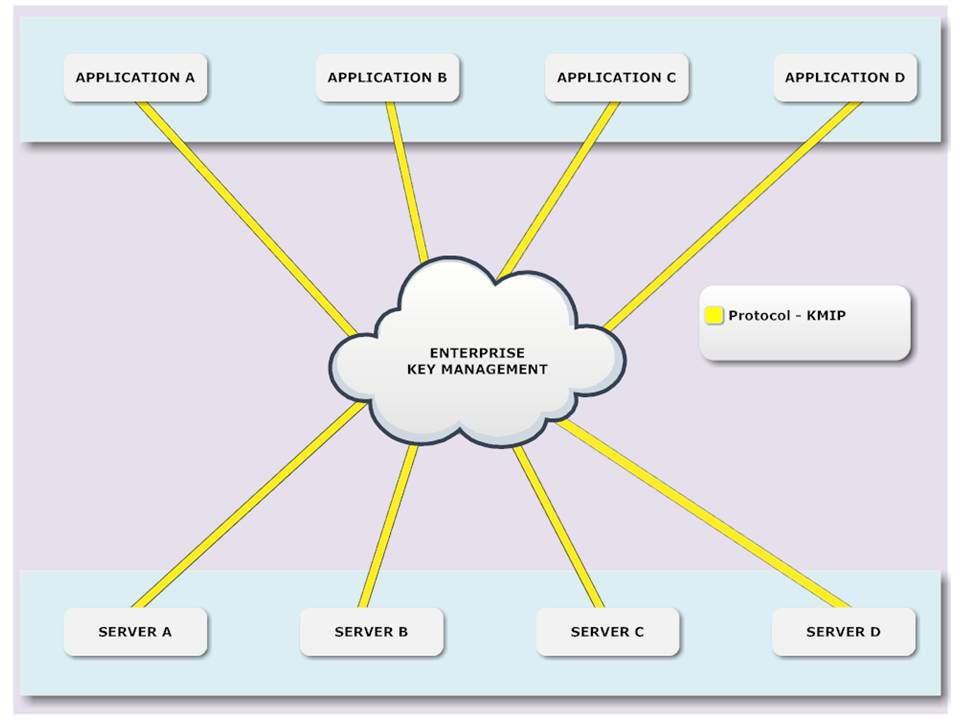
A more secure option is to use key management services, perhaps based on the Key Management Interoperability Protocol (KMIP).

In this case, the encryption key is not stored with the application, but in a separate key store. KMIP also supports revoking keys in case of a breach.

Solution #2: Provide Outbound Passwords During Start Up

An even more secure solution is to only store the outbound password in memory. This requires that administrators provide the password when the application starts up.

You can even go a step further and use a split-key approach, where multiple administrators each provide part of a key, while nobody knows the whole key. This approach is promoted in the PCI DSS standard.

Providing keys at start up may be more secure than storing the encryption key in a configuration file, but it has a big drawback: it prevents automatic restarts. The fact that humans are involved at all makes this approach impractical in a cloud environment.

Creating Outbound Passwords

If your application has some control over the external system that it needs to connect to, it may be able to determine the outbound password, just like your users define their passwords for your application.

For instance, in a multi-tenant environment, data for the tenants might be stored in separate databases, and your application may be able to pick an outbound password for each one of those as it creates them.

Created outbound passwords must be sufficiently strong. One way to accomplish that is to use random strings, with characters from different character classes. Another approach is Diceware.

Make sure to use a good random number generator. In Java, for example, prefer SecureRandom over plain old Random.